YouTube comment automation means replying to comments on your videos automatically, through YouTube’s official access, and turning the viewers who ask a buying question into leads. It matters because a video keeps collecting comments for months, and the ones that say “price?” or “how do I join?” are your warmest leads. Most comment tools still skip YouTube entirely.
Why do YouTube comments get missed?
An Instagram post is mostly done after a few days. A good YouTube video keeps being found through search for months, so comments keep arriving on videos you stopped watching long ago. YouTube Studio lets you filter comments and save reply templates, but someone still has to open each video and tap reply.
The result is predictable. The comment asking how to buy your course sits unanswered for a week, and by the time you see it, that viewer has bought from someone who answered faster.
Which tools automate YouTube comments?
Fewer than you would expect. ManyChat, the best-known comment automation tool, does not support YouTube at all; it covers Instagram, Facebook Messenger, WhatsApp and TikTok. What is left is a handful of single-purpose YouTube tools, do-it-yourself automations built in Make or Zapier, and a few platforms that include YouTube with their other channels.
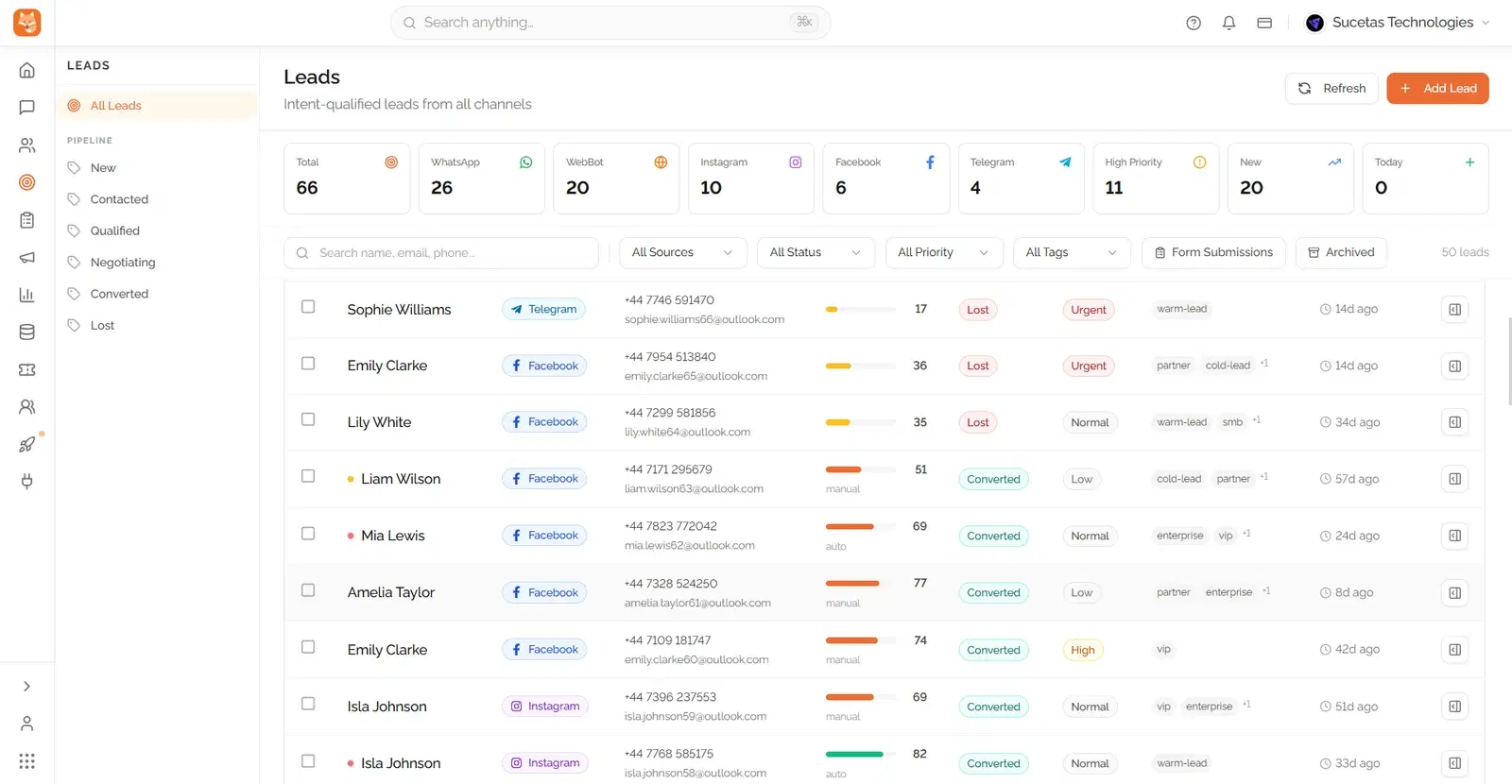
The difference that matters is what happens after the reply. A single-purpose tool answers the comment and stops. A platform like Dunefox answers it, captures the viewer who responds as a lead, and puts that lead in the same inbox and pipeline as your WhatsApp, Instagram and website enquiries.
How YouTube comment automation works
Every legitimate tool runs on the YouTube Data API, Google’s official interface. You sign in with Google and grant access to your channel. From then on the tool can read new comments on your videos and post replies as your channel. You can withdraw that access at any time from your Google account.
One limit shapes the whole approach: YouTube has no direct messages. On Instagram a comment can trigger a private DM. On YouTube the reply is public, under the comment. That is not a weakness. A helpful public reply is read by everyone who scrolls the thread later, so one answer works for many viewers.
Setting it up, step by step
Connect your channel
Sign in with Google and pick the channel. Comments start syncing into your inbox.
Choose which comments get a reply
Reply to comments that contain words like price, link, fees, join, course or session. Leave thank-you comments for yourself, or reply to them separately.
Write the reply, with a short link
Answer the question in one line and add a short link to a form, a course page or your Topmate booking page. In Dunefox, these are comment triggers with short links.
Capture and score the lead
The viewer who fills the form becomes a lead with a name and phone number, scored 0 to 100 and assigned to someone on your team. See lead management.
Follow up where they actually reply
Send the next message on WhatsApp, or book the call straight away, so the conversation leaves the comment thread.
From comment to booked call with Topmate
Coaches, mentors and educators often sell their time on Topmate. Dunefox schedules Topmate meetings with the leads who are ready to talk, and each booking sits next to the comment or chat that led to it. So when the call starts, you already know which video brought them in and what they asked.
- •A viewer comments “how can I talk to you?” under a video.
- •The reply links them to your booking form; they fill it and become a lead.
- •The Topmate meeting is scheduled, and the lead, the comment and the booking are on one record.
Keep it on the right side of YouTube
- •Reply to comments that ask for something, not to every comment with the same link.
- •Vary the wording. Identical replies across a channel look like spam to viewers and to YouTube.
- •Expect that some replies containing links may be held for review. Keep links to your own pages.
- •Use the official sign-in only. Browser scripts that post as you are the fastest way to lose a channel.
See it on your own channel
Dunefox puts YouTube and Instagram comments, WhatsApp chats and Topmate bookings in one inbox, with every lead scored. Start the 14-day trial with no card, or book a short demo and we will set it up with you.
See YouTube comment automationFrequently asked questions
Q: Can you automatically reply to YouTube comments?
Yes. Google’s official YouTube Data API lets a tool you authorise read new comments on your videos and post replies from your channel. Tools built on it can reply to every comment, or only to comments that match words you choose, such as price or link.
Q: Does ManyChat work with YouTube?
No. ManyChat automates Instagram, Facebook Messenger, WhatsApp and TikTok, but it does not support YouTube comments on any plan, as of November 2026. YouTube comment automation is covered by a small number of specialist tools and by platforms such as Dunefox that include YouTube alongside other channels.
Q: Can you send a DM to someone who commented on YouTube?
Not through YouTube. Unlike Instagram, YouTube has no direct-message channel for this. The reply is public, under the comment, so the usual pattern is to reply with a short link to a form, a course page or a booking page, and continue the conversation on WhatsApp or email once the viewer fills it.
Q: Is auto replying to YouTube comments against YouTube rules?
Replying through the official API, with your own permission, is how these tools are meant to work. What gets channels into trouble is spam: identical replies everywhere, or links on every comment. Reply only to comments that ask for something, vary the wording, and YouTube may still hold some replies with links for review.
Q: How do YouTube comments become leads?
The commenter who asks a buying question gets a reply with a link to a short form. When they fill it, they become a lead with a name and a phone number, scored and assigned to someone on your team, with the original comment attached.